How to profile ACE services in k8s cluster
This guide is intended for complex cases, where performance issues cannot be easily reproduced locally and it is necessary to profile the remote environment.
Setup
To profile the remote service, it must be started in the inspection mode.
To do that one must edit the pods and enable the port and environment variable as described here for a particular service.
For example to enable inspection mode for Flow Runner, one must set environment variable ENABLE_INSPECT to true and expose port 9229 from the pod.
Forward port locally
For example to forward Flow Runner inspection port locally run:
kubectl --namespace dev-ace port-forward deployment/flow-runner 9229:9229
Connect with chrome devtools
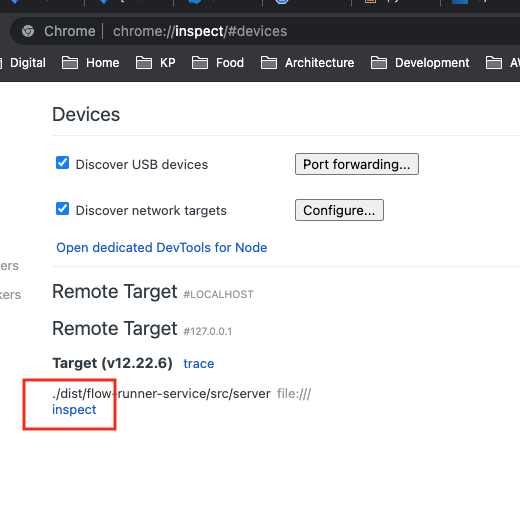
- In chrome enter
about://inspectin Chrome address bar - In discover network targets, enter
127.0.0.1:9229or another port respectfully
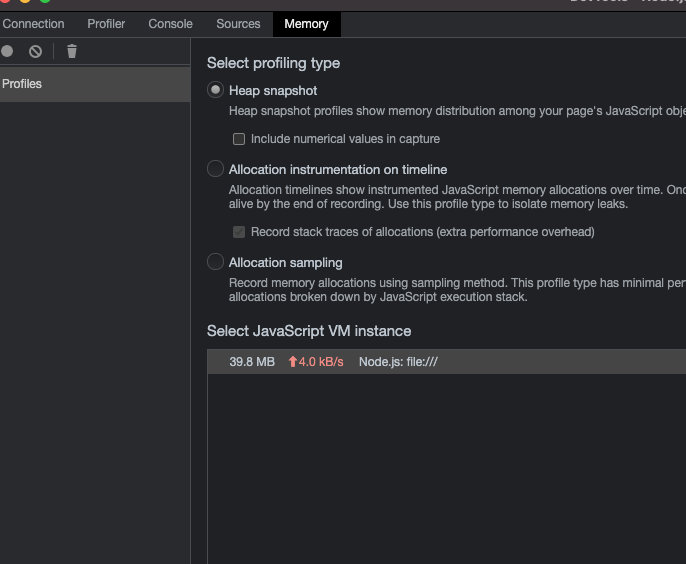
Connect and capture a HEAP or CPU statistics snapshots